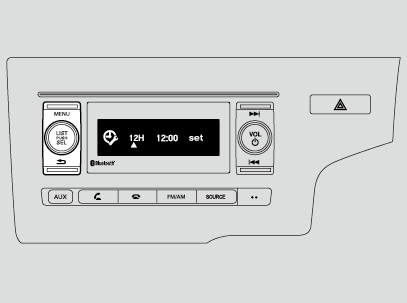
You can adjust the time in the clock display with the ignition switch in ON II*1.
 to select.
 to enter. to select the clock adjustment mode, then press . The display time begins flashing.
 knob in the information display (select/reset) knob repeatedly to show the clock adjustment display. knob to adjust the time. to set the time.
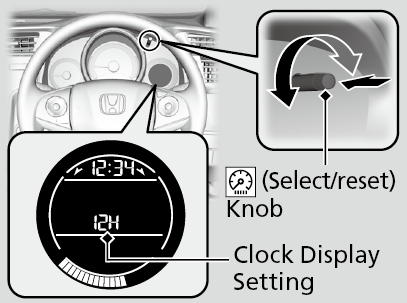 knob repeatedly to show the clock adjustment display. knob. The clock display setting changes. knob changes the setting between 12H, 24H and OFF. knob to enter your selection.
*1: Models with the keyless access system have an ENGINE START/STOP button instead of an ignition switch.
to select the clock adjustment mode, then press . The display time begins flashing. to select the item you want to change (hour, minute). Then press . to make the adjustment. to enter your selection. The display returns to the clock adjustment. Repeat steps 3 to 5 to adjust other items. and select set, then press to complete clock adjustment.