
Using your lightning connector, connect the iPod to a USB port, then press the SOURCE button.
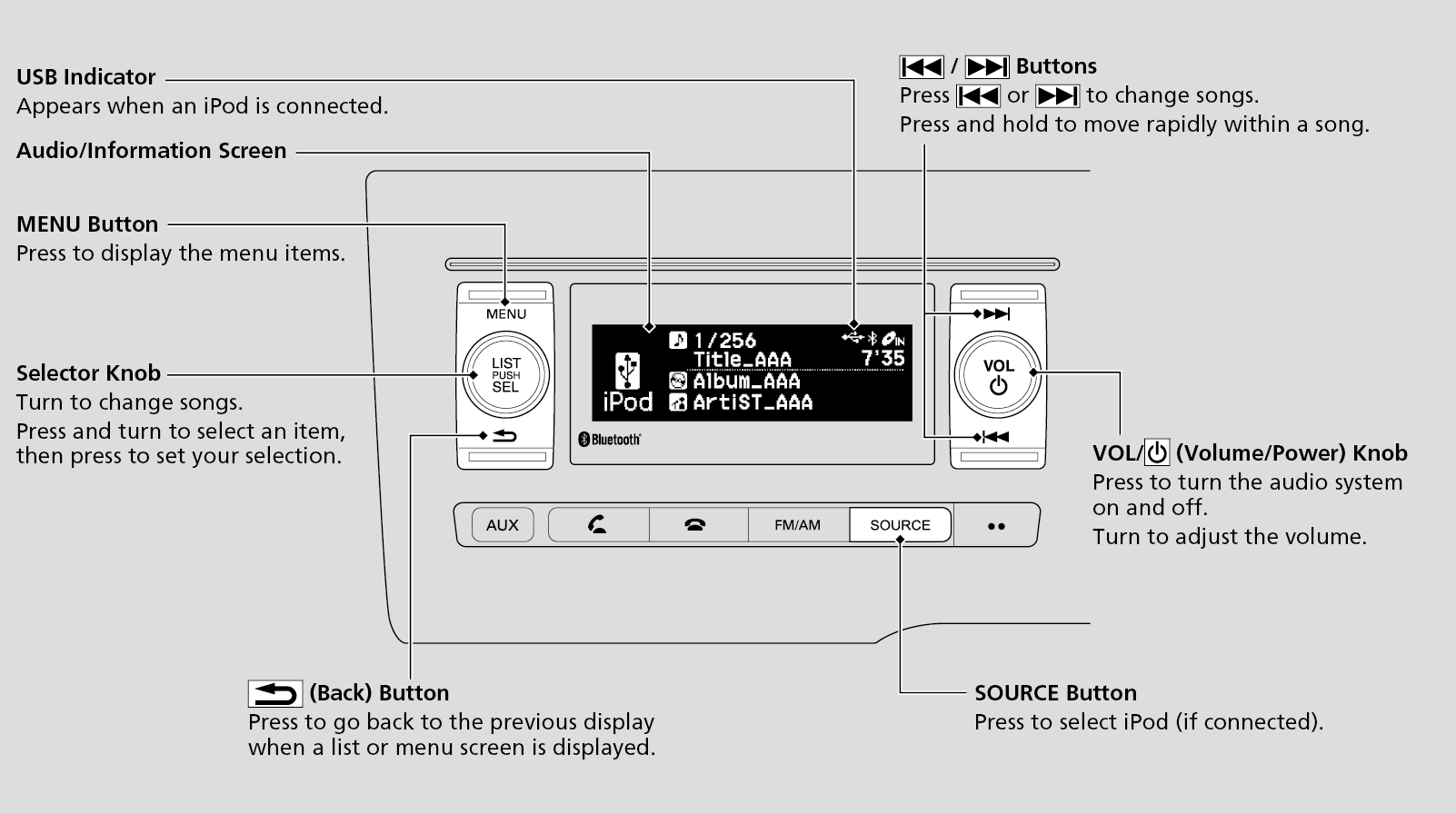
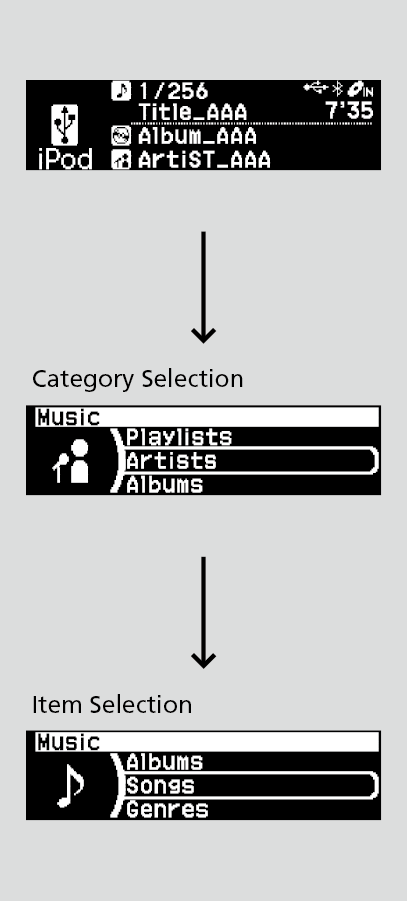
 to display an iPod music list.
 to select a category. to display a list of items in the category. to select an item, then press .
You can select repeat and shuffle modes when playing a file.
to select Play Mode, then press . to select a mode, then press .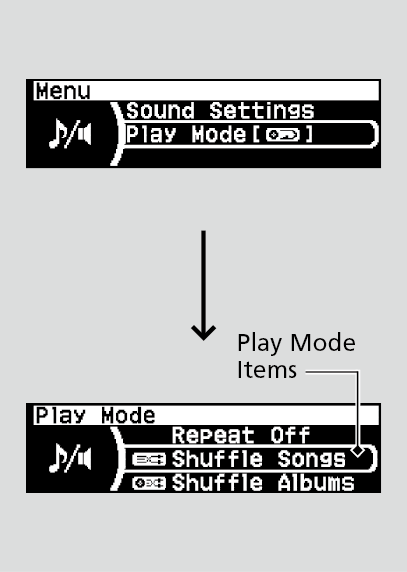 to select Play Mode, then press . to select Normal Play, then press .